Alternatively, you can download from App Store or Google Play
STEP 2
LAUNCH THE FLEXIROAM APP
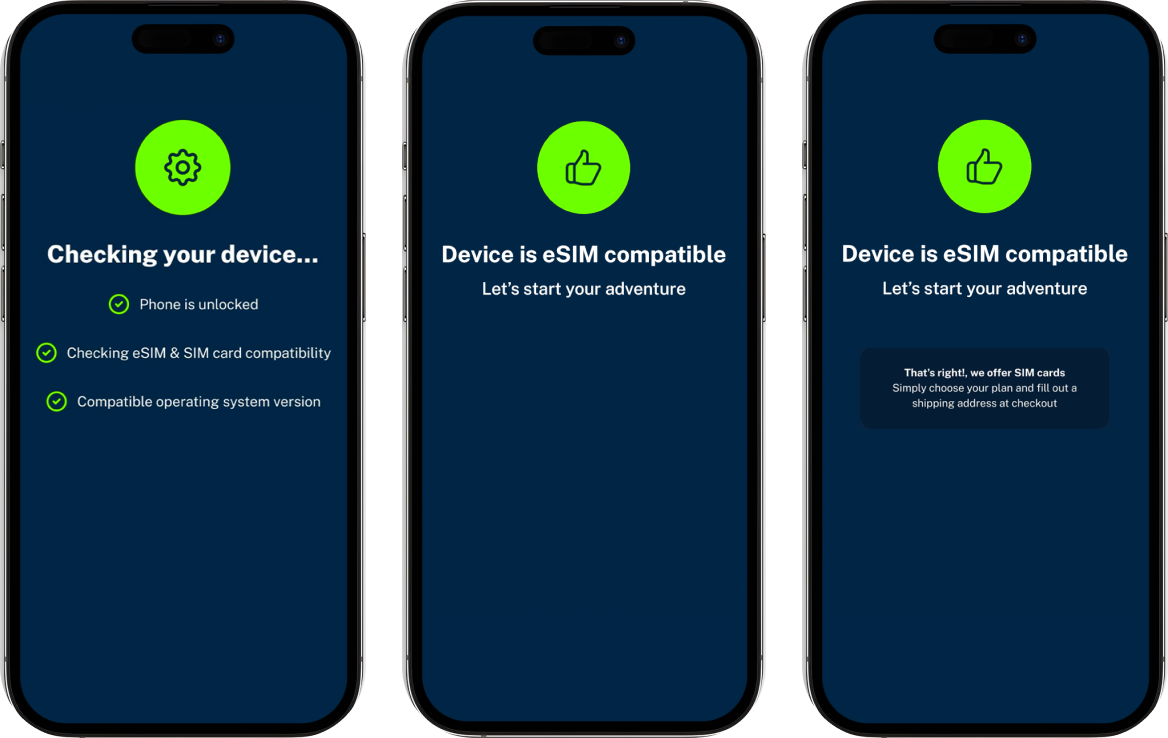
FlexiRoam App will automatically check if your device is eSIM compatible.
Alternatively, if your device is not eSIM compatible, you’ll be prompted to provide your address so we can ship you a physical SIM card.
STEP 3
LOGIN / SIGN UP
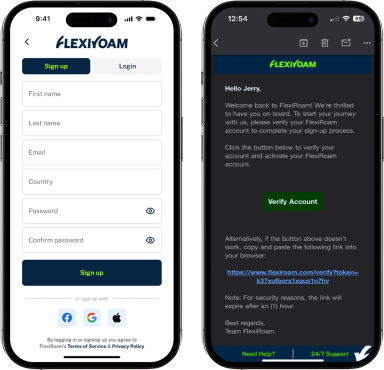
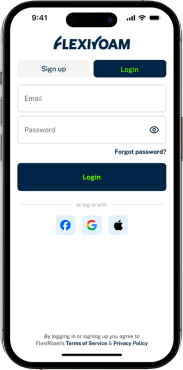
You can create an account or access your FlexiRoam profile using the passwordless login. Verify your email with the verification code sent.
STEP 4
INITIATE ELIGIBILITY CHECK
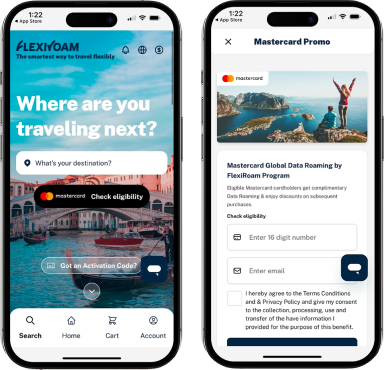
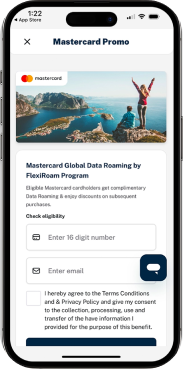
Tap the “Check Eligibility” button on the homepage banner or master card logo on top navigation bar.
STEP 5
Provide Card Information
Input your credit card number and email to proceed with the eligibility check. You will see a prompt if you can redeem the Mastercard benefit.
STEP 6
VERIFY CARD (PRE-AUTHORISATION)
After confirming the eligibility to redeem the benefit, you will be prompted to verify your card to complete a pre-authorisation step.
Pre-authorisation is a standard security practice, ensuring your card details are protected while making your purchase. Remember, this is not an additional charge – it’s simply a temporary hold for verification.
Note: For Middle East & Africa (MEA) Region, pre-authorisation not required.
STEP 7
CHECK EMAIL AND APP
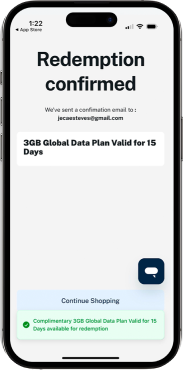
Once all verifications are completed, you will receive an email about the benefit you have just redeemed. You can also check the app to see the eSIM reflected in your account.
FOR SIM CARD OPTION
STEP 8
INPUT PHYSICAL SIM DELIVERY ADDRESS
A shipping address is required by default for all Mastercard redemptions via the website and for all non-eSIM compatible devices.
User needs to input the details for the delivery of the Physical SIM.
*SIM card delivery are only available for Asia Pacific, Middle East, Eastern Europe & Africa regions.
FOR SIM CARD OPTION
STEP 9
ORDER CONFIRMATION
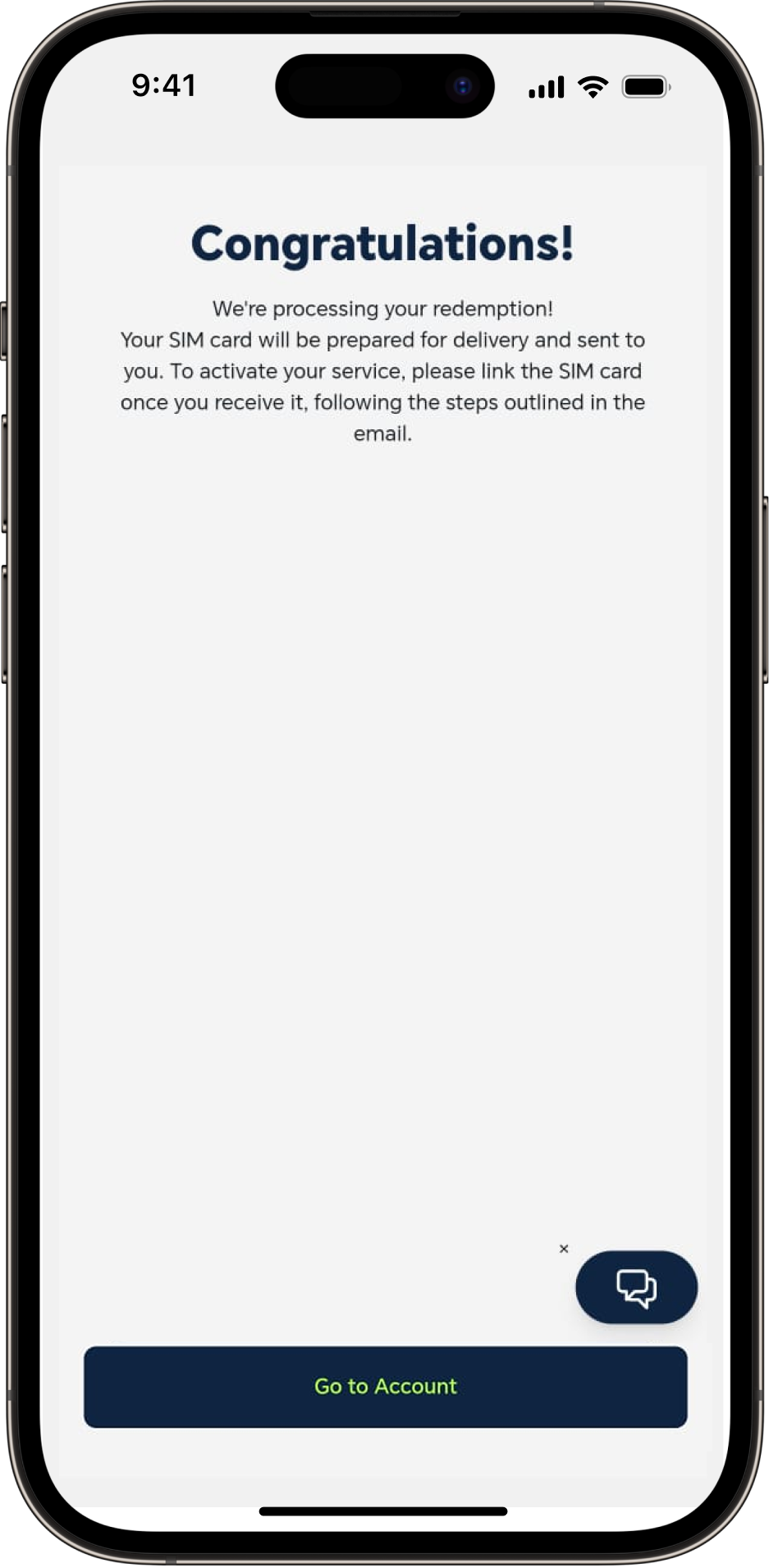
Click on 'Confirm Redemption' to complete.
Once redemption has been confirmed, Physical SIM card will be posted to you and will arrive within 7 days.
FOR SIM CARD OPTION
STEP 10
LINK STARTER PACK
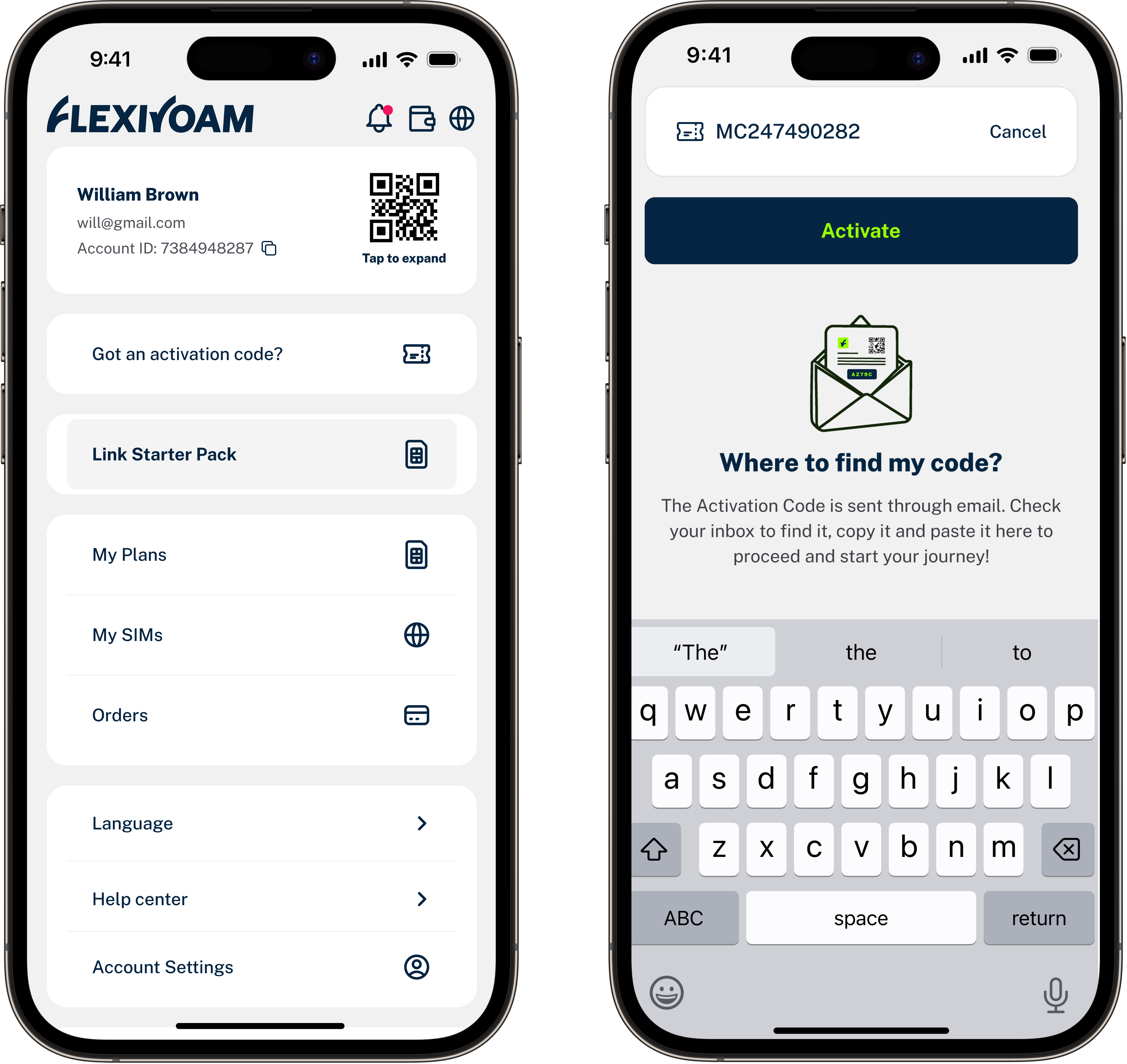
On "Account" > "Link Starter Pack", scan the barcode of your Physical SIM card or enter the code manually to activate.
FOR SIM CARD OPTION
STEP 11
SETUP SIM CARD
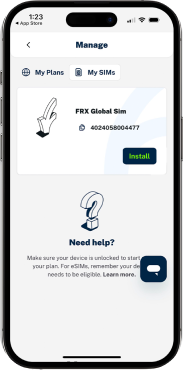
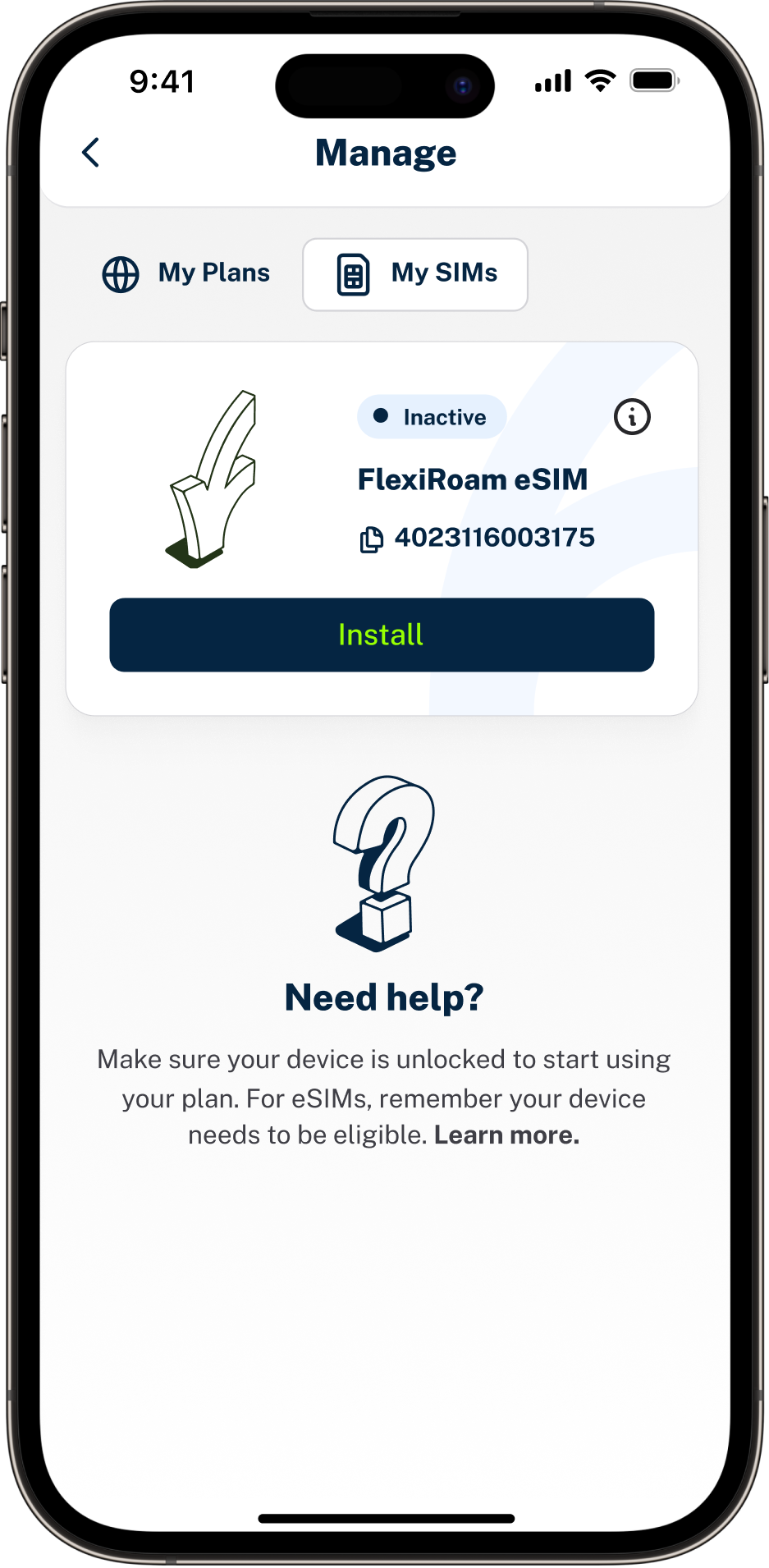
"Account" > "Manage" > "My SIMs" you can check if your SIM card was correctly activated. Then, install the SIM in your phone by ejecting your current one and replacing it with FlexiRoam SIM or installing FlexiRoam SIM in an additional slot.
Check the below guides to install your new eSIM on your device.